 TgWitness
You choose the scope.
Chosen chats, a Telegram folder or the whole account. A separate workspace for each account.
Compare collection modesCapture Telegram messages, preserve their changes, and export a signed record.
The demo uses fictional data. No Telegram sign-in required.
GitHub Actions capture (preview) S3 off-site copy: setup and recoveryThe briefing starts at 14:00.
The briefing starts at 15:00.
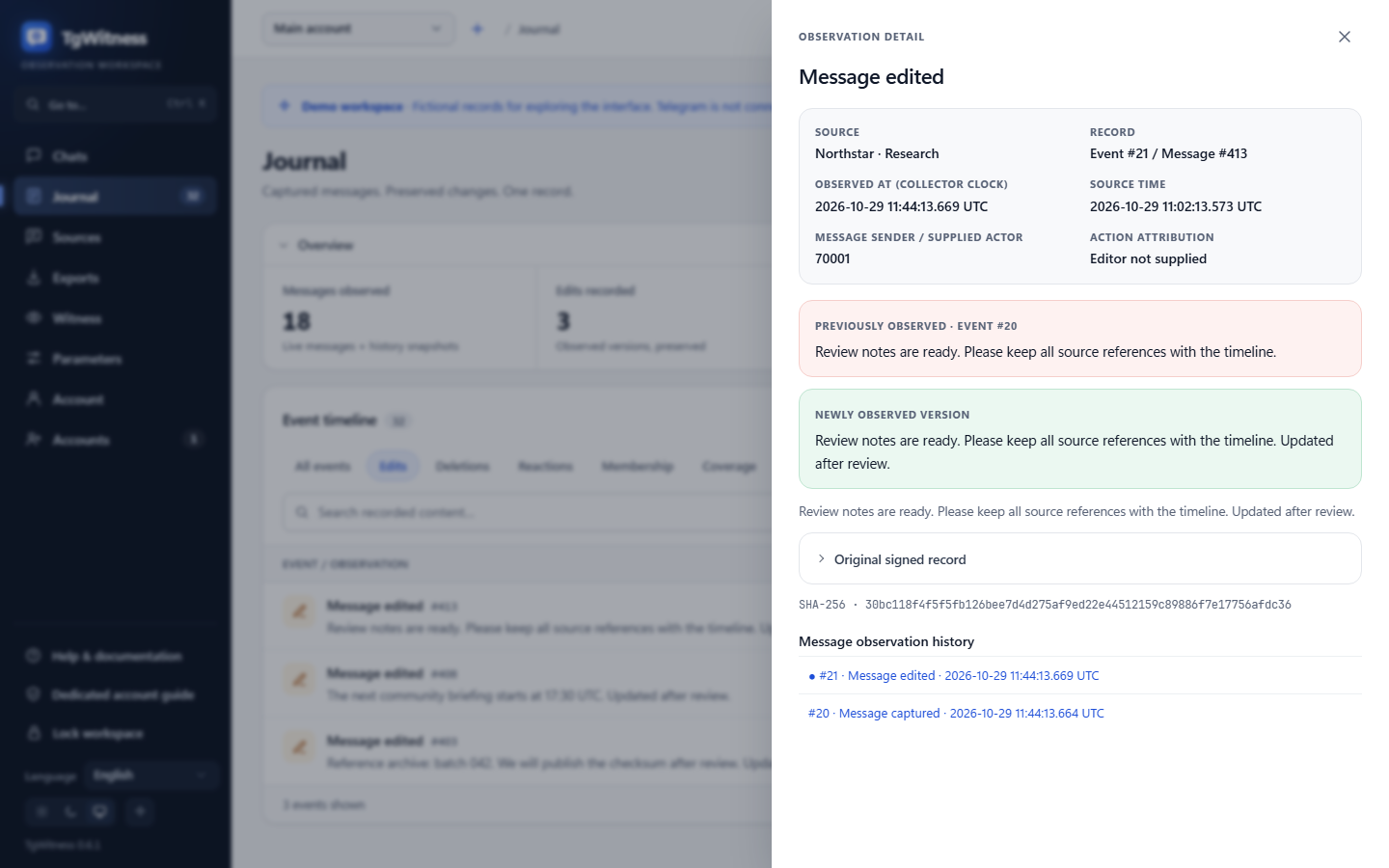
Previous version retainedCaptured content stays in your journal.
The message disappears. The captured history remains.
01 THE WORKSPACE
Browse the interface with fictional demonstration data.
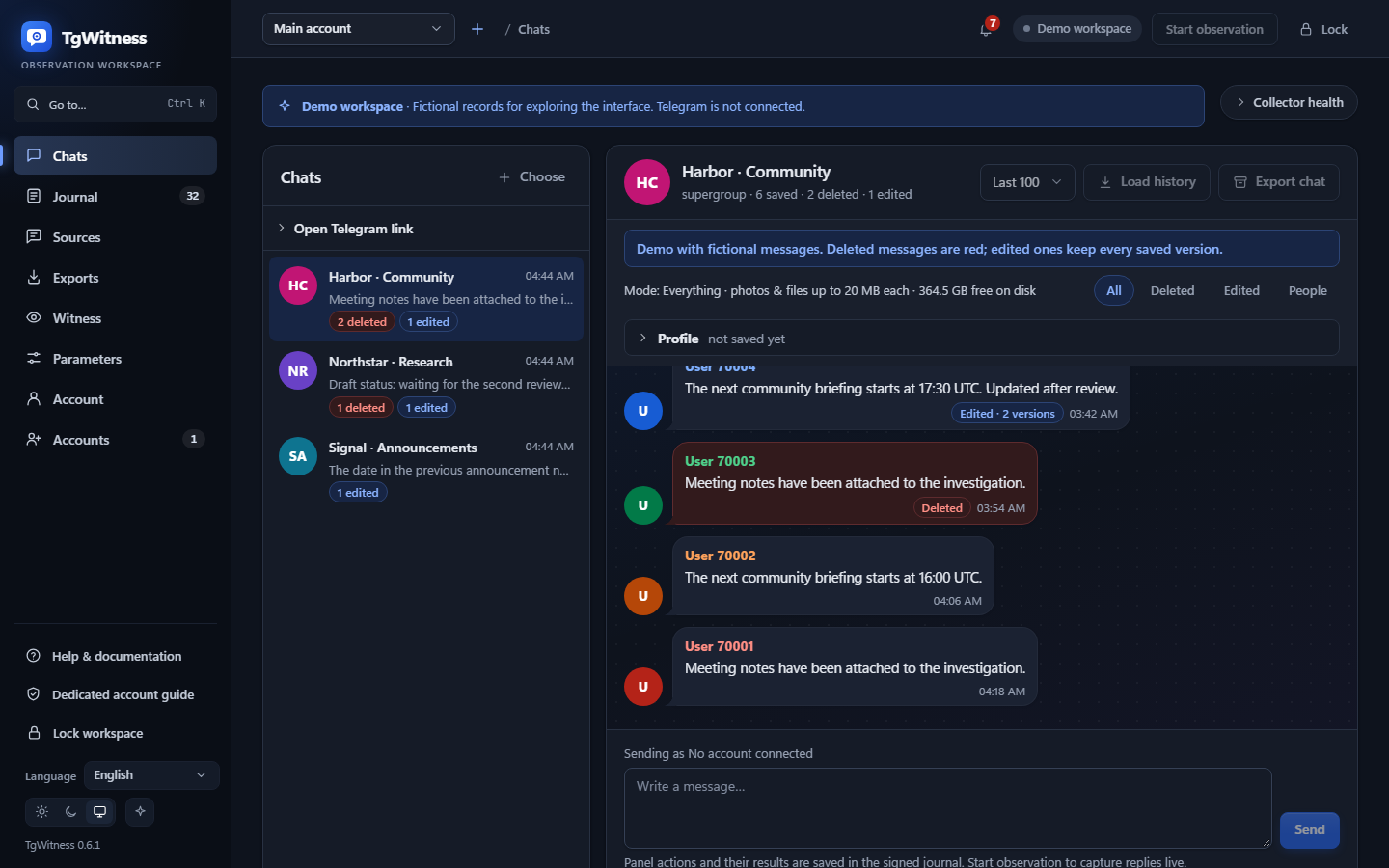
Chosen chats, a Telegram folder or the whole account. A separate workspace for each account.
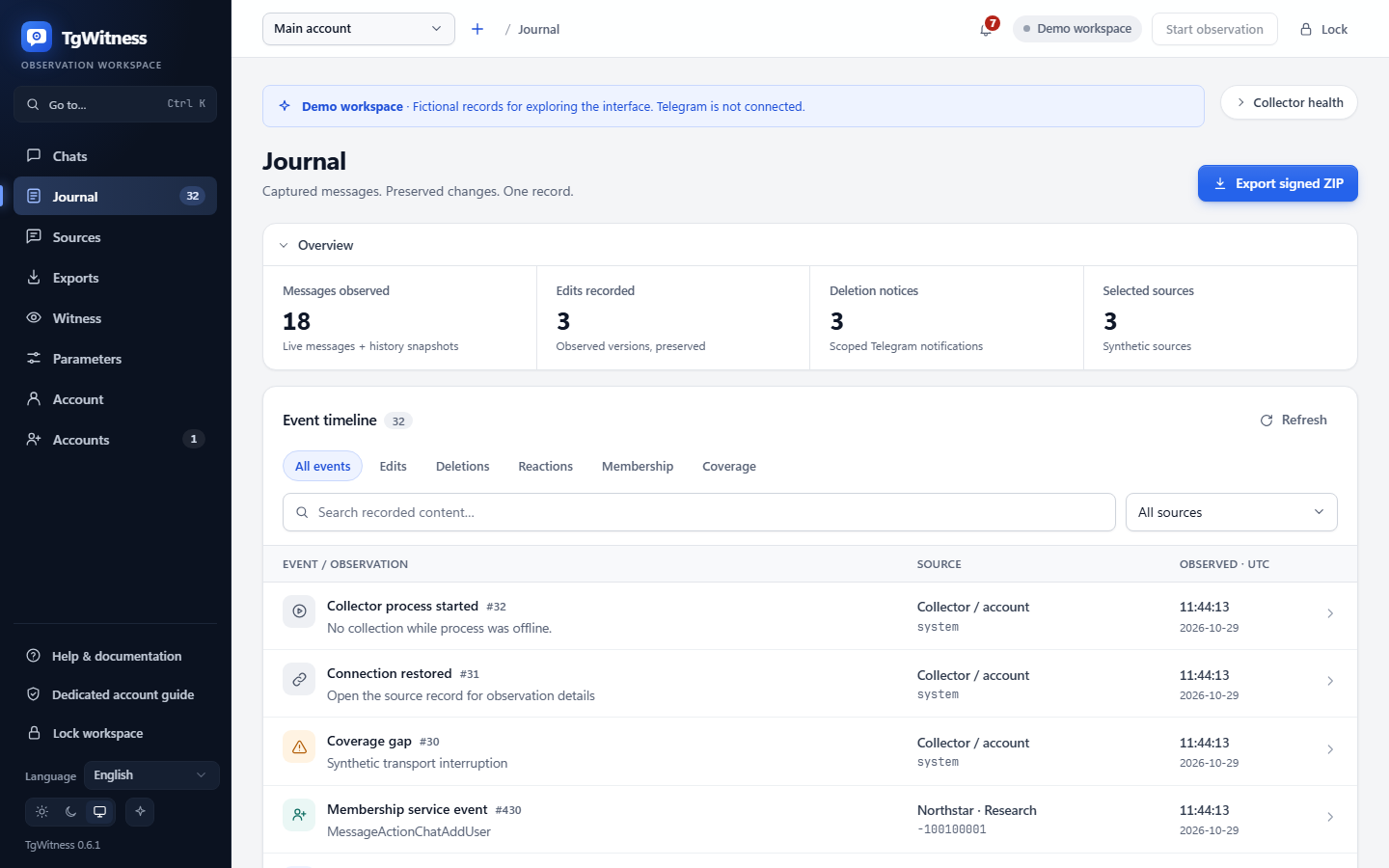
Compare collection modesCaptured versions, deletion notices and observation gaps stay in the journal.
See the event matrixSigned ZIP, preserved files and an offline report. Optional password protection.
Export and verifyHOW THE RECORD HOLDS TOGETHER
Each event links to the previous hash and carries an Ed25519 signature.


See what each verification mechanism establishes, and where its limits remain.
Explore eight evidence levelsBUILT FOR REVIEW
Hand over observations, files and an offline HTML report in one signed bundle.
Read the evidence modelSignatures detect tampering relative to a trusted key. They do not prove Telegram origin or guarantee complete capture. Journal content and media need encrypted storage provided by you.
STORAGE, CONTINUITY AND VERIFICATION
Keep encrypted copies and add independent checks.
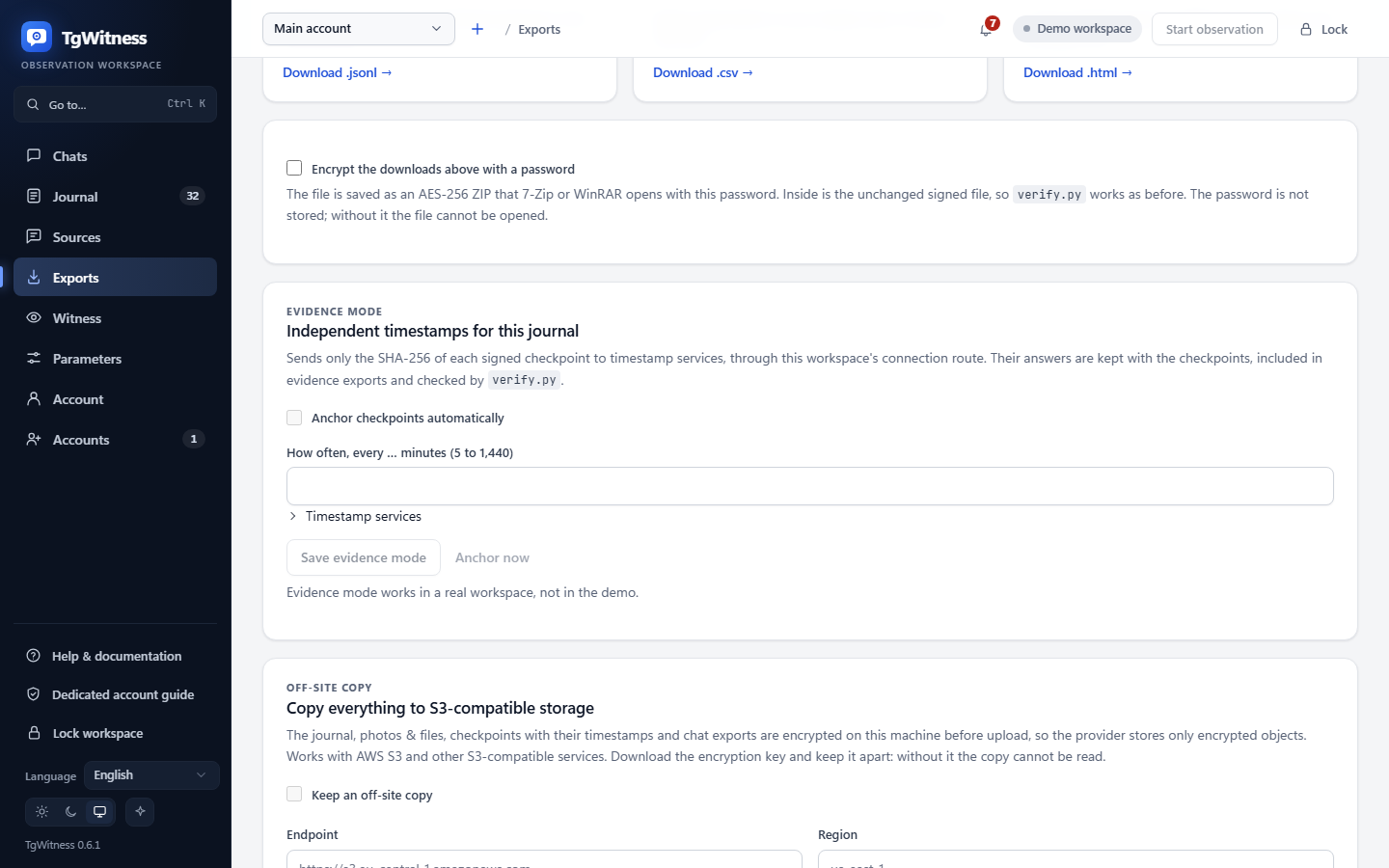
EXPORTS → OFF-SITE COPY
Off by defaultJournal, files, timestamped checkpoints and chat exports — encrypted before upload to AWS S3 or compatible storage.
AES-256-GCM encrypts objects on this machine. The provider receives encrypted objects.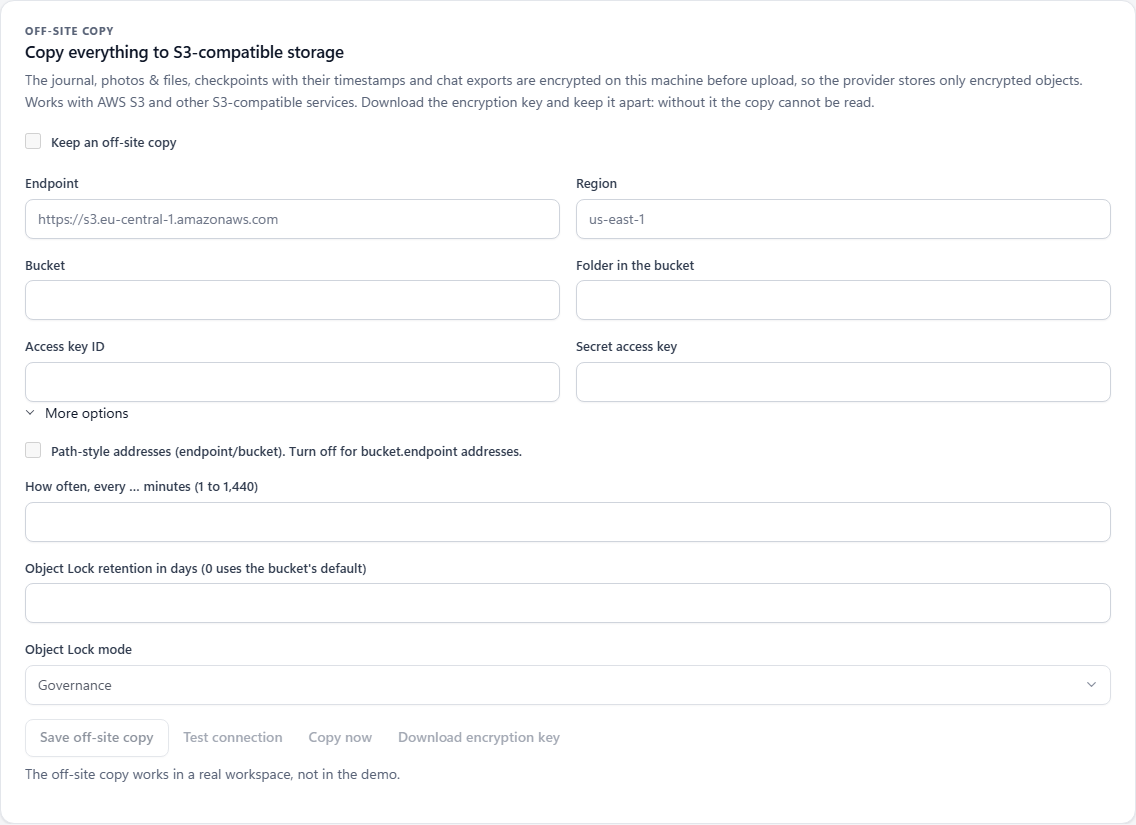
AES-256-GCMS3-compatible storageDoes not do It does not restore without the exported decryption key or replace an independent witness.
Problem alerts, chat changes and daily summaries via Apprise: messengers, email or your own JSON webhook.
Does not do It does not send message text unless you enable excerpts.
Configure notification destinationsTimestamp checkpoint hashes with RFC 3161 and OpenTimestamps.
Does not do It does not treat a pending calendar receipt as a confirmed Bitcoin timestamp.
Check timestamp proofsA separate host keeps signed observations and can publish TGW1 checkpoints.
Does not do It does not make two workspaces on one collector host into independent witnesses.
Set up a witnessResume after restart. Rechecks and coverage.json show recovered messages and gaps.
Does not do It does not reconstruct every missed edit or vanished message.
Inspect continuity and gapsON YOUR MACHINE
Explore the demo first. Connect a dedicated account when you’re ready.
Windows, Linux, macOS, or Docker.
Try the fictional workspace without a Telegram account.
scripts\Demo.cmdLinux / macOS sh start.sh --demoDownload the source ZIP and extract it, or clone the repository:
git clone https://github.com/phishdestroy/TgWitness.git
cd TgWitnessSource launch needs Python 3.11+. The Windows launcher offers installation if Python is missing.
Browse releasesNo Python on Windows? Download the portable package, extract it and double-click TgWitness.cmd.
Double-click Start.cmd, or run in PowerShell:
.\Start.cmdJust exploring? Double-click scripts\Demo.cmd for an isolated demo. No Telegram login needed.
With Python 3.11+ and venv available:
sh start.shTo open the fictional journal instead, run sh start.sh --demo.
With Docker running and Compose 2.20+ installed:
docker compose up -d --build --wait
docker compose exec tgwitness cat /data/panel-token.txtThe second command shows your private panel token. Keep it on your machine.
Open 127.0.0.1:8787 after launch.
For source installs, the token is in data/live/panel-token.txt. Telegram sign-in can use the built-in API settings or your own pair from my.telegram.org. Full setup guide ↗
TgWitness 0.7.0 What’s new → · Features and known limits →
ONE TASK AT A TIME
Four collection modes. Eight verification levels. Find the workflow for your case.
Load history, review AI sources, connect an MCP client, recognize saved media and send signed webhooks.
Available from current source. The 0.7.0 portable preview predates these tools.
No. This is a static project page with fictional examples and screenshots. The actual application runs on your computer or server; sign-in happens there.
No. TgWitness retains content your account observed while collection was running. A later history snapshot cannot reconstruct missed edits or deleted messages.
Account credentials and signing secrets are stored in an encrypted vault. Local messages and attachments need an encrypted disk or volume. Exports can optionally use a password-protected AES-256 ZIP.
No. TgWitness is an independent project using Telethon, distributed under the MIT License. You authorize your own accounts, using the built-in API settings or your own API pair.
PROJECT NOTICE / LICENCE
Taylor Wessing PartG mbB — German core, Hamburg office.
Our statement as the authors of TgWitness. It adds no condition to the MIT License. Read the complete notice and its source record.
YOUR NEXT STEP